
Creating a rubric on how to score a written response is complex thing. CrowdScore required making it as easy as possible.
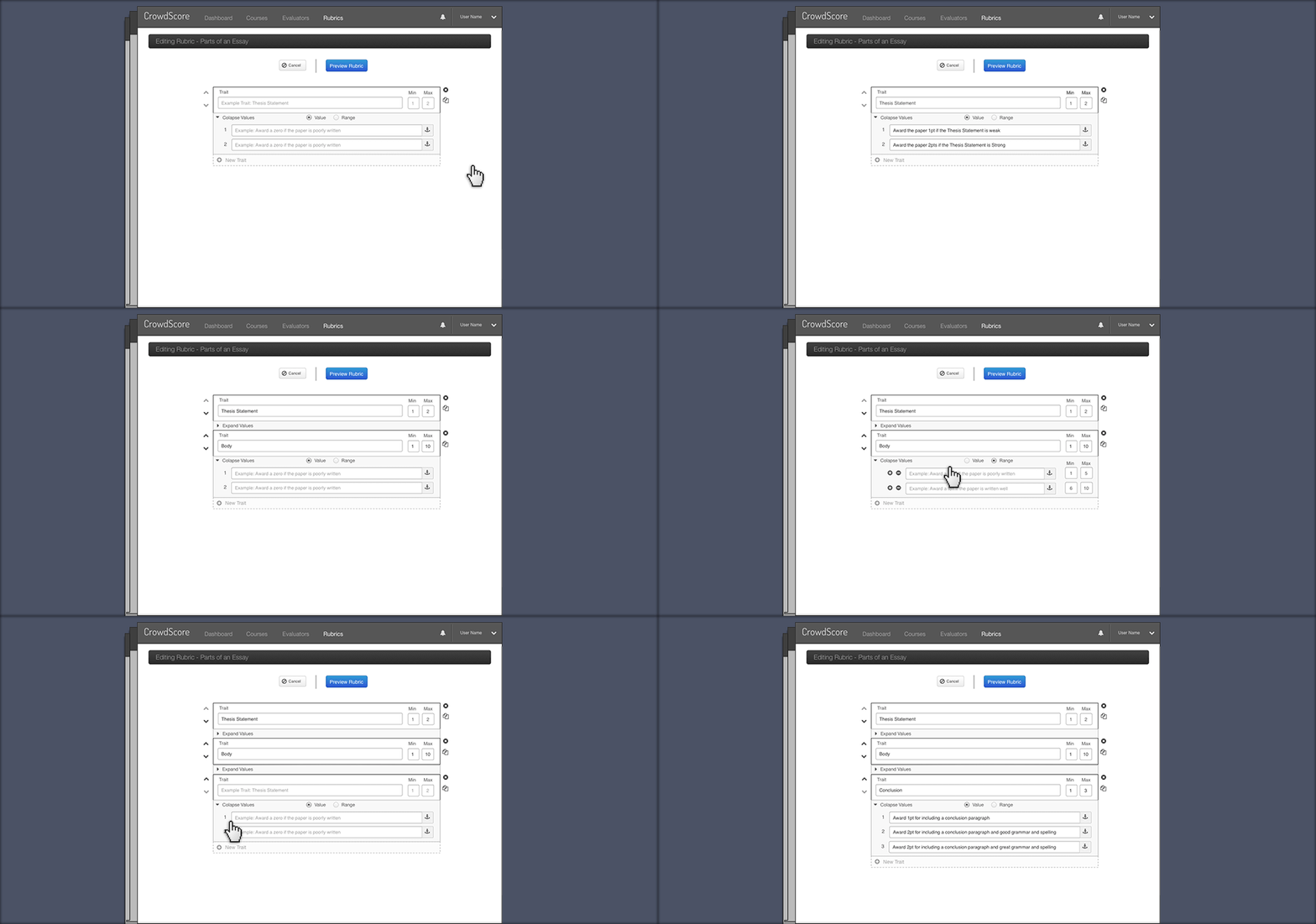
This animation shows the process of naming the traits to be scored and assigning each point value an explanation of it's criteria.
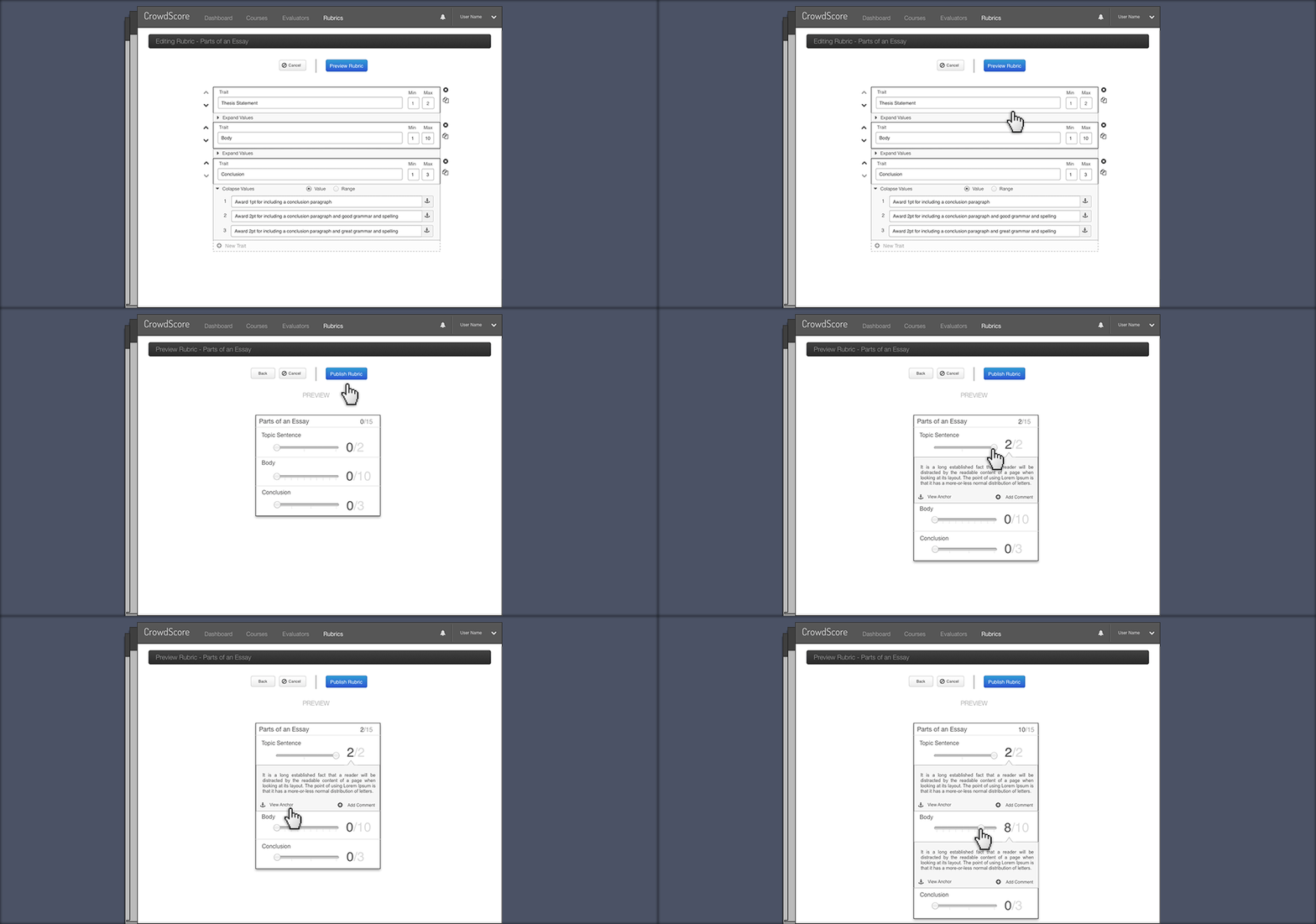
Once the criteria is defined for each value and trait, the user can preview the rubric they have created and test it out.
Project Overview
There are several studies that suggest: a crowd's estimations, when averaged, perform better than one individual's estimation. Applying this methodology to grading a written response is the idea behind CrowdScore. Many of today's online classes consist of hundreds of students. Peer reviews have quickly become a way to accommodate the growing class sizes.
With CrowdScore, an administrator is able to appoint multiple evaluators or students to perform peer reviews. The administrator would also create and manage the rubrics on how to evaluate an answer. Creating a rubric on how to score a written response is complex thing. CrowdScore required making it as easy as possible. We went through a few designs to arrive at our implementation.
My Role
Working through a few designs with the project manager and UX research, we arrived at a simple structure of:
- - Supplying a trait to score
- - The traits min and max value
- - The criteria for each value (or a range of values)
I approached the visual space of the rubric creation process to include multiple layers of interactivity.
- - Filling out the trait and supplying the values
- - The ability to move a trait up and down in the rubric
- - Copy and paste
- - Create a new trait
- - Remove a trait